
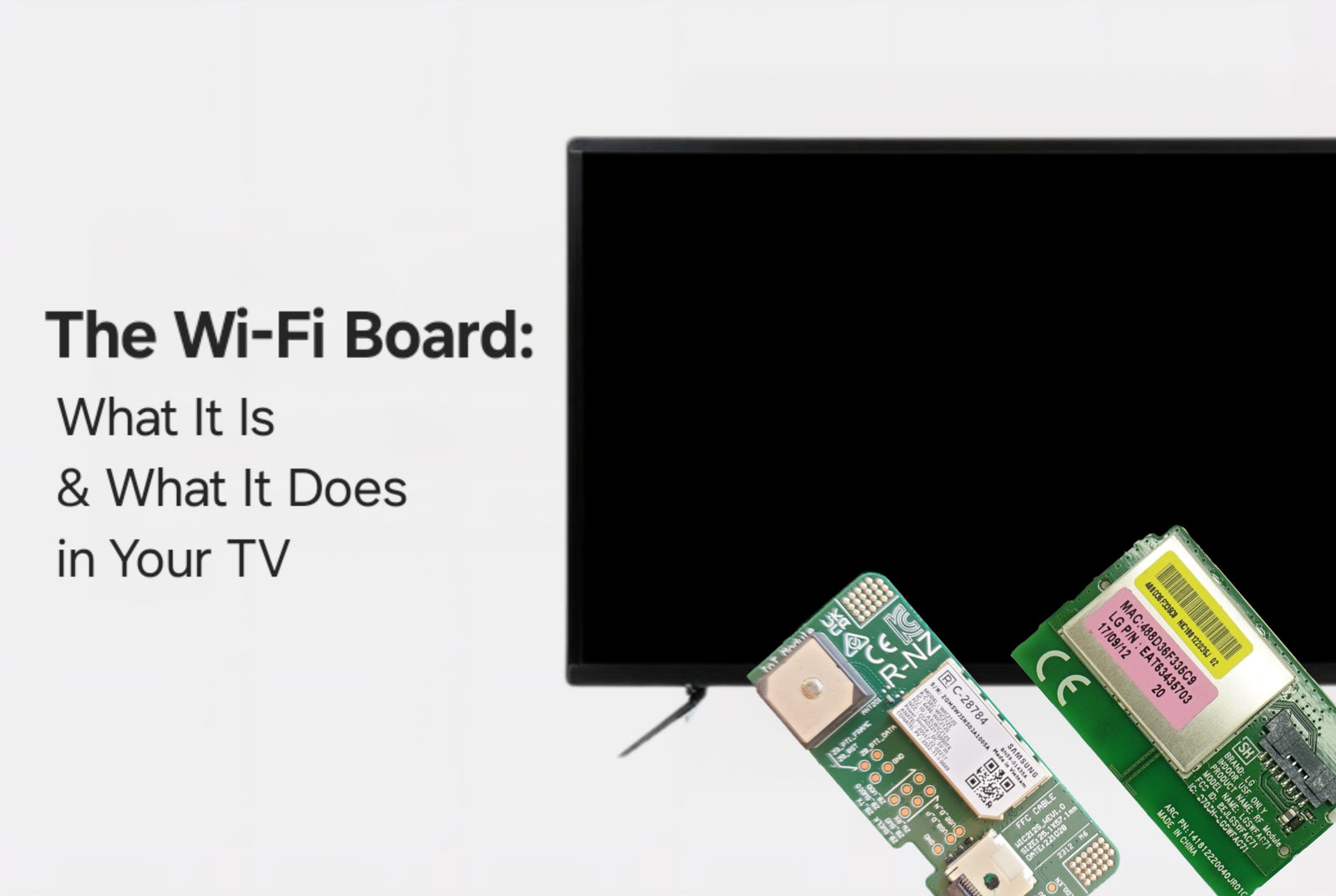
A Wi-Fi board (also known as a WLAN module or wireless communication board) is a small circuit board inside a smart TV that allows it to connect to the internet over a wireless network. It functions similarly to the Wi-Fi card in a laptop or smartphone, using radio waves to establish a connection with your home’s Wi-Fi router, enabling features like app streaming, system updates, web browsing, and voice command services. Without a working Wi-Fi board, your smart TV loses its wireless internet capabilities.
Rather watch a video and get started on your repair? Check out our helpful YouTube video on How to Get Started:
How the Wi-Fi Board Works
1. Wireless Signal Handling
-
The Wi-Fi board contains a wireless chipset and antenna that send and receive radio signals on the 2.4 GHz and/or 5 GHz bands.
-
It uses standard wireless communication protocols like 802.11n, 802.11ac, or 802.11ax (Wi-Fi 6) depending on the TV model.
-
It handles tasks like:
-
Scanning for nearby networks
-
Authenticating with your router using your Wi-Fi password
-
Sending/receiving data packets for video streaming or updates
-
2. Physical Structure
-
The board is typically small - about the size of a business card or smaller - with a metal RF shield for signal integrity.
-
Many include one or two antenna leads, either internal or external, that boost wireless signal range.
Relationship Between the Wi-Fi Board and Main Board
The Wi-Fi board does not work in isolation. It functions as a network interface, while the main board handles all system-level data processing:
| Component | Role |
|---|---|
| Wi-Fi Board | Handles radio communication, connects wirelessly to router |
| Main Board | Processes app data, manages streaming, updates, and UI |
- The Wi-Fi board sends raw internet data to the main board, which interprets it for apps like Netflix or YouTube.
- In most TVs, it connects to the main board via:
-
-
A flex cable
-
A pin header
-
Or a USB-style connector
-
In Some TVs: Wi-Fi Is Built Into the Main Board
- In many modern TVs, especially ultra-slim, low-cost, or tightly integrated designs, the Wi-Fi chipset is soldered directly onto the main board.
- This removes the need for a separate board, reducing cost and internal complexity.
- However, if the integrated Wi-Fi fails, you must replace the entire main board, as the wireless components cannot be swapped independently.
Wi-Fi Board Placement and Appearance
- Located near the edge or corner of the TV chassis.
- May be mounted directly to the chassis or slotted into a designated socket on the main board.
- Labeled as Wi-Fi Module, WLAN Module, RF Module, or similar.
- Always match replacements using the exact part number, not just the TV model, as compatibility can vary even within the same product line.
Symptoms of a Failing or Faulty Wi-Fi Board
| Symptom | Possible Cause Related to Wi-Fi Board |
|---|---|
| TV cannot find any Wi-Fi networks | Signal module failure or antenna issue |
| TV connects, then disconnects often | Weak signal, overheating, or board instability |
| Wi-Fi settings are grayed out | Main board not detecting Wi-Fi hardware |
| TV connects to router, but internet doesn’t work | Packet processing error or driver issue |
Tip: Always rule out router issues and try rebooting the TV and router before assuming a hardware failure.
Troubleshooting & Replacement
Basic Steps:
- Soft Reset – Restart the TV and router.
- Network Reset – Factory reset the network settings on the TV.
- Inspect Cables – Reseat any Wi-Fi board connectors or antenna wires.
- Replacement – If reseating doesn't work, replace the Wi-Fi module (if separate) or the main board (if integrated).
If Integrated:
- If the Wi-Fi functionality is built into the main board, you won’t see a separate Wi-Fi card or module.
- The only solution is to replace the full main board.
Final Thoughts
If your smart TV has trouble connecting to Wi-Fi - or the option to enable Wi-Fi is completely missing - it’s often a hardware issue with the Wi-Fi board. Check your user manual or open the back panel (if safe to do so) to see if your TV has a separate Wi-Fi module. If it does, replace it with the exact part number listed. If not, and the Wi-Fi is integrated into the main board, you’ll need a replacement main board to restore connectivity.
Need Help?
If you’re still unsure about the issue or need to replace a part, reach out to TVpartsToday. We can help you identify the exact cause of the problem and provide the right replacement part!
Would you rather watch a video? Check out our helpful Troubleshooting 101 playlist over on YouTube!
Would you rather chat with a seasoned repair expert? Head on over to our TVRepairHelp subReddit!
Need help finding the right board or part?
Call us at 930-212-1975 or browse our inventory online.
DIY-friendly parts, fast shipping, and expert support – only at TVpartsToday.
1 comment
Is there any way to tell for sure if the wifi module is integrated or if you just haven’t found it yet?