
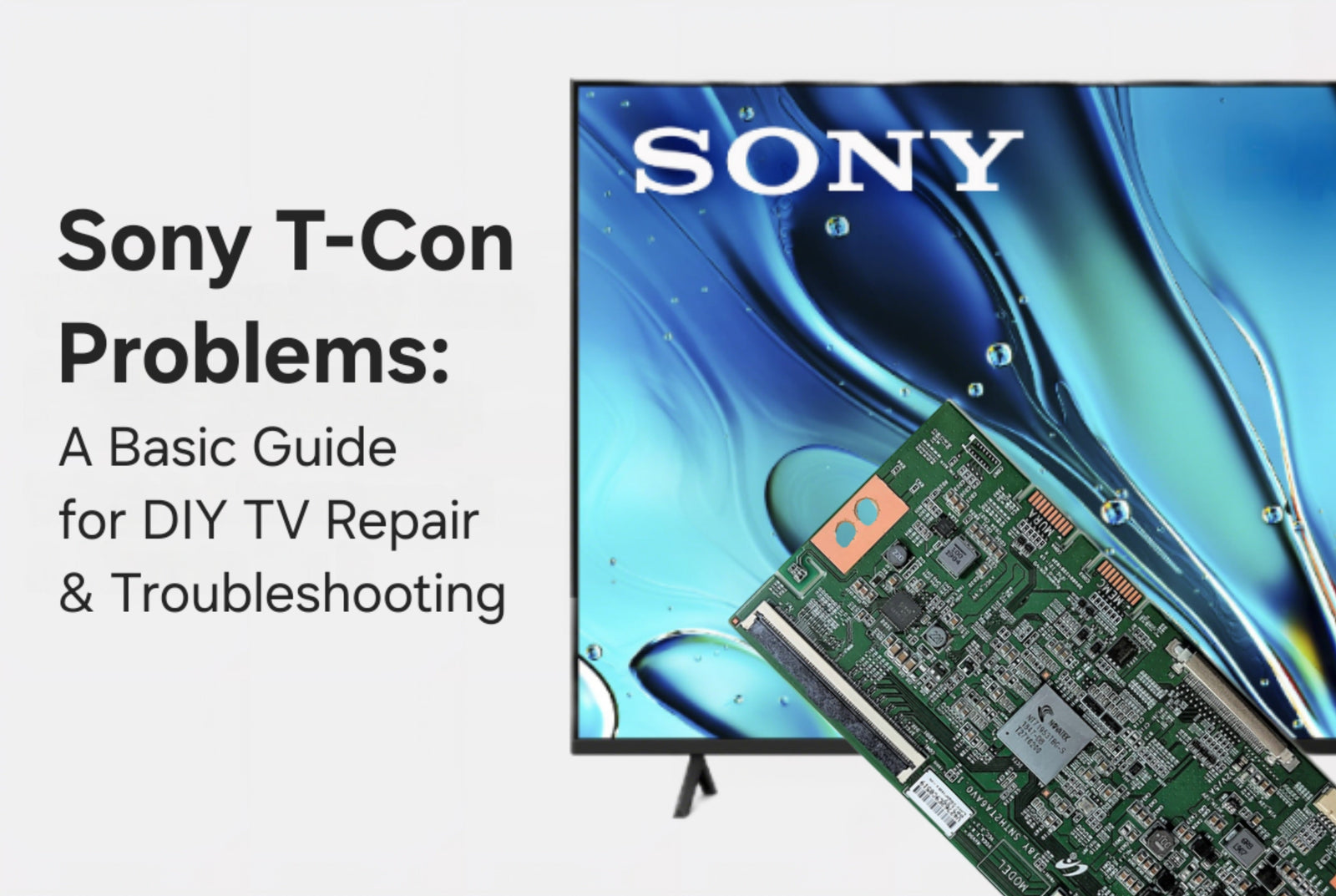
The Sony T-con board is one of the most important components responsible for creating a clear and accurate picture in Sony televisions. Positioned between the Sony main board and the LCD panel, it converts digital video data into precisely timed electrical signals that determine how each pixel activates. Without a properly functioning Sony T-con board, the screen cannot form a coordinated image, even if the backlight, panel, and main board are operating normally. This is why many visual problems in Sony TVs trace back to this board.
Here is an example of a Sony T-con board:

Before beginning your repair, you may want to watch our YouTube tutorial on how to get started with basic TV troubleshooting. Understanding common diagnostic steps provides a valuable foundation when working on critical components like Sony T-con boards:
And here is a video covering a quick swap of a Sony T-con board specifically:
How the Sony T-Con Board Works
To understand how Sony T-con failures affect the screen, it helps to know how the board processes and delivers visual timing instructions.
Receiving Digital Image Data from the Sony Main Board
The Sony main board handles video decoding from HDMI sources, internal apps, tuners, or streaming platforms. After decoding, this data is passed to the Sony T-con board through LVDS or eDP cables. If this link is disrupted due to a damaged cable or failing T-con board, the screen cannot display the data correctly.
Converting and Synchronizing the Timing Signal
Once the Sony T-con board receives the video stream, it divides the data into precisely timed pulses. These signals activate the rows and columns of pixels on the panel in synchronized order. Even small timing errors can result in flickering, flashing, or lines appearing across the display.
Regulating Voltage and Color Accuracy
The Sony T-con board helps determine grayscale, contrast, and color depth. If voltage regulation fails, typical results include inverted colors, distorted gradients, washed-out images, or areas of the screen that stop responding. Repairing these issues usually requires replacing or reseating the T-con board rather than replacing the panel.
How the Sony T-Con Board Fits Into the Display Chain
The Sony display system relies on three major components working in sequence. The Sony main board processes content. The Sony T-con board synchronizes pixel-level output. The LCD panel displays the image. When the Sony T-con board fails, the main board may still function correctly and audio may still play, but the panel cannot display the proper picture. This explains why many Sony T-con issues result in white screens, half-screens, vertical lines, or distorted color while audio continues unaffected.
Sony T-Con Boards With Integrated Design
Certain slim or lower-cost Sony models do not include a separate T-con board. Instead, the T-con circuitry is integrated directly into the Sony main board. When this is the case, timing failures require replacing the main board rather than the T-con alone. Verifying whether a Sony TV has a standalone T-con or integrated circuitry is an important first step before purchasing replacement parts.
Sony Panel Compatibility and Part Matching
Sony T-con boards are panel-specific. Even two Sony TVs with the same overall model number may use different internal panels. Because panel timing requirements vary, each Sony T-con board must match the exact part number of the original. Using an incorrect board typically causes severe distortion or prevents the screen from functioning entirely. Always verify the part number printed on the Sony T-con board before ordering a replacement.
Common Symptoms of Sony T-Con Board Failure
White or gray screen caused by timing signals not reaching the LCD drivers
Flickering or flashing image resulting from synchronization failure
Vertical lines associated with signal routing or driver chip issues
Distorted or inverted colors due to improper voltage regulation
Half-screen or mirrored effects caused by partial circuitry breakdown
In most cases, the Sony TV continues to power on and produce sound. Since the backlight still functions, the issue is frequently misdiagnosed as a bad panel when it is actually the Sony T-con board.
Inspecting, Testing, and Replacing a Sony T-Con Board
The Sony T-con board is typically located under a metal shield near the top or middle of the TV, behind the panel. Begin troubleshooting by inspecting all ribbon cables. Loose or oxidized connections can produce the same symptoms as a failing Sony T-con board. Reseating these cables often restores picture functionality.
Check the Sony T-con board for burn marks, broken connectors, or corrosion. If visible damage is present, replacement is usually necessary. When testing or swapping boards, always use a compatible Sony T-con with the exact matching part number.
Use caution when working with ribbon cables and panel connectors, as these areas are delicate and easily damaged. When the Sony T-con circuitry is part of the main board, the full main board must be replaced to restore proper pixel timing.
Rare Cases: Sony T-Con Firmware Alignment Requirements
In rare circumstances, a Sony T-con board may require firmware alignment to function properly with the panel. This is more likely in models where multiple vendor panels were used during production. When a replacement Sony T-con arrives with firmware that does not match the panel timing configuration, the TV may show incorrect colors, partial image rendering, or persistent synchronization errors. In these cases, a firmware update may be needed to align the T-con board with the specific panel installed in the unit. Luckily, we have a helpful guide on this process HERE!
Final Notes on Sony T-Con Troubleshooting
If your Sony TV turns on with sound but displays lines, distorted colors, flickering, a white screen, or only half of the image, the Sony T-con board is a likely source of the problem. Reseating ribbon cables is the first diagnostic step. If symptoms persist, replacing the Sony T-con board with a matching part number is typically the most effective solution. For verified Sony T-con parts and expert guidance, TVpartsToday can help ensure you get the correct replacement for your TV.
Need Help?
If you’re still unsure about the issue or need to replace a part, reach out to TVpartsToday. We can help you identify the exact cause of the problem and provide the right replacement part!
Would you rather watch a video? Check out our helpful Troubleshooting 101 playlist over on YouTube!
Would you rather chat with a seasoned repair expert? Head on over to our TVRepairHelp subReddit!
Need help finding the right board or part?
Call us at 930-212-1975 or browse our inventory online.
DIY-friendly parts, fast shipping, and expert support – only at TVpartsToday.
3 comments
I have sony t-con board, need FFC cable of this t-con board. V645H1-CE1. Tv model. 65HX925.
FFC cable socket no. CNF1
I have a LG70UM7100PLA. And it has a broken tcon card with code “RUNTK0334FVJY”.
Idk how to rectify it. I am sure that my mainboard and powerboard are ok. I have measured them and no defect. The problem is that yes sound no video.
What can i do? Pls help me.
I have 3 broken tvs two had the blinking lights of death so ended up tossing one screen but took off parts. I replaced the one with the flashing lights with the one with lines then. Put back one with the parts left over from maybe the other blinking light TV and now Im so confused.